Thứ Hai, 6 tháng 9, 2010

Mozilla Firefox 3.6 Beta 5

Even though Firefox 3.6 beta 5 is not officially released, users can have a sneak peek at it and download it from mozilla's ftp servers

Code: [Select]
ftp://ftp.mozilla.org/pub/mozilla.org/firefox/nightly/3.6b5-candidates/build1/win32/en-US/

VMWare Workstation 7 - The best VM application there is

VMWare's new Workstation 7 has many new features, such as the ability to run Aero Glass for Windows 7 and Windows Vista virtual machines, the abilty to import Windows XP Mode VM's so you can get a preconfigured Windows XP without the need of a serial key.  Along with Unity, which was first introduced in VMware Fusion, this makes it the best VM app ever

Release Notes
# indows 7 — Create and run Windows 7 32-bit and 64-bit virtual machines using VMware Workstation. VMware Workstation has been enhanced for performance and to take advantage of the new Windows 7 features including Live Thumbnails and Aero Peek.
# Aero Glass — A new Windows Display Driver Model (WDDM) graphics driver has been developed for Windows Vista and Windows 7 virtual machines. The WDDM driver can display the Windows Aero user interface, OpenGL 1.4, and Shader Model 3.0. For more information on the VMware recommended graphics hardware, see the VMware Workstation User's Manual.
# Windows XP Mode Compatible — Import a Windows XP Mode virtual machine using VMware Workstation 7.0 and run the virtual machine without being prompted to enter a Windows XP license key. VMware Workstation enables the Windows XP Mode virtual machine to take advantage of more than one processor, render high-end graphics, integrate seamlessly with Unity, and transfer files easily with drag and drop, and shared folders. VMware Workstation also has the ability to run concurrently with Windows XP Mode.
# 3D Graphics Improvements for Windows XP guests — OpenGL 2.1 and Shader Model 3.0 support is now available for Windows XP virtual machines. The XPDM (SVGAII) graphics driver works with Windows XP, Windows Vista, and Windows 7. However, only Windows XP virtual machines install the XPDM graphics driver by default. To switch graphics drivers in the guest operating system, see How to Switch Between SVGAII and WDDM Drivers.
# vSphere 4.0 and ESX Support — Install and run ESX 4.0 as a guest operating system. VMware Certified Professionals (VCPs) and technical professionals can install the latest server virtualization software and experiment with server setup, conduct training, show demos, and test production configurations. Running ESX as a guest eliminates the need to have spare hardware available to run ESX natively and enables ESX to run on systems that are not listed on the ESX hardware compatibility list (HCL). For more information on the supported processors and host operating systems, see Considerations for Running an ESX Guest.
This feature is intended for educational and demonstration purposes only and should not be used in production environments. To use this feature, you must download vSphere 4.0 from the VMware Web site and follow the installation documentation provided with vSphere to install ESX.
# Virtual Printing — Print from virtual machines without mapping network printers or installing printer drivers in the virtual machine. With virtual printing enabled in the virtual machine setting, all of the printers installed on the host operating system are available in the guest operating system. This functionality is enabled through a partnership with ThinPrint, Inc.
# Four-Way SMP — Create and run virtual machines with a total of four processor cores, which can consist of four single-core processors, two dual-core processors, or one quad-core processor like the new Intel i7.
# 32GB Guest Memory — Run virtual machines with up to 32GB of memory using VMware Workstation.
# 256-bit Encryption — Secure your virtual machines with AES256-bit encryption to prevent unauthorized users from accessing or running the configuration files.
# AutoProtect —Schedule snapshots of your virtual machine to be created at a regular interval to ensure that you always have a snapshot available to revert to when needed.
# Advanced Linux Sound Architecture (ALSA) — ALSA significantly improves the sound of virtual machines running on a Linux host and streams the audio from each virtual machine on a separate channel so that multiple virtual machines can be heard simultaneously.
# Cross-Platform License Keys — Use the VMware Workstation 7.0 license key on both the Windows and Linux versions. Make sure you read the EULA for the terms and conditions that must be met when switching platforms.
# Pause a Virtual Machine — Free your CPU resources instantaneously without powering off or suspending the virtual machine.
# Expand Virtual Disks — Increase the size of the virtual disk from within VMware Workstation. For Windows Vista and Windows 7 guests, the disk partitions can be adjusted without the use of additional software.
# Compact Virtual Disks — Reclaim unused space from a virtual disk so that the host or another virtual machine can use it.
# Shared Folder Compatibility — Increased compatibility with many Windows applications that previously were unable to read or write files to shared folders.
# On-Demand VMware Tools Download — On-demand download capability provides the latest VMware Tools for the guest operating system. This feature reduces the overall download size of VMware products by downloading only the required set of VMware Tools and and enables VMware to release new versions frequently.
# Drag and Drop Enhancements — Drag and drop enhancements include support for new file types including images and formatted text and extend the existing ability to drag and drop files to a broader set of guest and host operating systems.
# Virtual Network Editor — User interface enhancements have simplified creating and configuring virtual networks.
# Fuse Mount for Linux — Use Fuse to mount .vmdk disks on to the file system of Linux hosts.
# Simplified Collection of Support Information — Gather detailed information about multiple virtual machines and the host machine at the same time. The information is packaged in a compressed file so that you can email it to VMware support or post it on the VMware Workstation forums.
# IPv6 Support — Create a bridged connection to an IPv6 network on VMware Workstation virtual machines.

Screenshot of Unity working in VMware Workstation 7
Code: [Select]
http://img23.imageshack.us/img23/4142/36978004.png
Download
Code: [Select]
http://www.vmware.com/products/workstation/
Note: VMware Worksation 6.5 keys don't work with this you will have to pay $99 for an upgrade key

uTorrent 2.0 beta released


uTorrent 2.0 beta released

8 August 2009 20:42 by Andre "DVDBack23" Yoskowitz

uTorrent 2.0 beta released The most popular BitTorrent client, uTorrent has moved onto version 2.0, albeit in beta form for the time being, and promises tons of updates and changes.

-- 2009-08-04: Version 2.0 Beta (build 16081)
- Change: disable toolbar offers for Wine installs
- Feature: New Setup guide & Speedtest.
- Change: uninstaller is added to all user profiles
- Fix: crash when assigning new label to torrents from RSS
- Change: Incomplete downloads sort after completed downloads if sorting by "Completed On"
- Feature: Add Moldova to peer flags
- Change: Added upnp host cache to speed up upnp nat resolution on misbehaving routers
- Fix: maintain category list selection on update for some edge cases
- Change: if selected, install start menu and desktop shortcuts to all users instead of only current user
- Feature: Grayscale disabled toolbar buttons
- Fix: fixed uTP selective ack bug (would cause connections to stall and time out)
- Fix: fixed uTP fast re-send bug (would sometimes re-send packets that shouldn't be re-sent)
- Change: prompt to take associations in installer only if any others exist
- Fix: buffer overrun vulnerability in create torrent dialog
- Fix: uTP recovers faster after timeout
- Feature: uTP supports window sizes smaller than the packet size
- Change: reduced uTP overhead slightly by ramping up packet sizes at lower rates
- Feature: enable and disable toolbar buttons according to selected torrents
- Change: UAC must be completed to install in Vista or higher
- Fix: memory leaks in main window, protocol associations, settings dialog, general tab
- Change: Tweaks to Ask toolbar offer
- Feature: UDP tracker support
- Fix: only change run on startup if installer is shown
- Change: added support for 3:rd party applications to more easily be configured to access the uTorrent web UI, i.e. to pair the applications
- Fix: make "alternate upload rate when seeding" apply when the seeding is set by the scheduler
- Fix: align "Web Seeds" in torrent creation dialog
- Fix: translated strings in uninstaller
- Fix: http seeds would not reconnect after stopping and starting torrent
- Fix: http seed for multifile torrents
- Fix: regression in 15562 that caused frequent crashes
- Feature: New installer with EULA, file association
- Fix: uTP issue on low-latency high-throughput networks
- Fix: copying long filenames to clipboard no longer results in garbage or crash
- Fix: fixed web seed support for multi-file torrents
- Change: torrent whose "Force Recheck" is greyed out will not recheck when asked through multi-torrent selections
- Fix: when adding torrents through URLs via commandline, we would always open the add torrent dialog
- Fix: handle multi file torrents with web seed urls that incorrectly don't end with a slash
- Fix: make sure web seed urls end with a slash for multifile torrents
- Fix: setup Vista firewall
- Fix: remove settings on Vista during un-installation
- Feature: New "Transfer Cap" pane in Preferences
- Feature: uTP can be enabled or disabled using "Enable bandwidth management" checkbox in Preferences
- Fix: Check at startup for incompatible versions of NVIDIA nForce firewall

Here is the beta for those interested:
uTorrent Beta 2.0 
Code: [Select]
http://forum.utorrent.com/viewtopic.php?id=60602
Edit: Updated link to site posting newer versions
Thanks xtasty

Internet Explorer 9 already beats them all!

You've probably read the title 5 times. Yes, you read it right! I did some testings with the new Preview of Internet Explorer 9 and I'm just amazed at its speed!

I will not make this post long like a bible - Let's get to the point now.

1. Go and download IE9 Preview and install it: (It's an order :P)

Code: [Select]
http://ie.microsoft.com/testdrive/Default.html

2. Install Firefox if you don't have it installed already:

Code: [Select]
http://mozilla.org/

3. Install Google Chrome:

Code: [Select]
http://google.com/chrome

Now let's get the testing going!

1. Open Firefox and go to this site:

Code: [Select]
http://ie.microsoft.com/testdrive/Performance/01FlyingImages/Default.html

At the top right of the page, click 'Increase' and increase it to 256 images. Buggy eh?


2. Open chrome and go to that page again and increase the images to 256:

Code: [Select]
http://ie.microsoft.com/testdrive/Performance/01FlyingImages/Default.html

3. Open IE9 and go to that page again and increase the images to 256:

Code: [Select]
http://ie.microsoft.com/testdrive/Performance/01FlyingImages/Default.html


Can't wait for IE9!! :headbang:

Pale Moon - Optimised FireFox

Why settle for a basic build of your Firefox browser on Windows Operating Systems when you can have one that performs 25% faster? Mozilla does not provide optimized browser packages for Windows, while many Linux users get the advantage of a browser built specifically for their system. That needs to change! So, here is the Pale Moon project: Custom-built and optimized Firefox browsers for Windows Operating Systems. Make sure to get the most speed out of your browser!

Of course, getting a faster browser is not just about optimizing the compilation process (building a program from its source code), but also about carefully choosing features and how to choose the best setup. This means that this browser, however extremely close to Firefox, does not have all the functions that Firefox has. A few, carefully selected, features have been disabled that are not in high demand, and that do not interfere with the way web pages are displayed or function; all to maximize speed and efficiency of the browser. Please see the page with technical details to learn exactly what the browser supports, and what it doesn't support. In short, if you need accessibility features or parental controls, then please visit the firefox homepage and get the official, non-optimized build.

"On benchmarking fully patched to latest version browsers in random orders, it's consistantly around five times faster than IE8 and its derivatives, and 2-4 times faster than Opera.

Perhaps not so clear, with my erratic connection, was benchmarking against its parent Firefox; but in actual use Pale Moon showed a clean pair of heels. Startup is faster, and it easily handles pages like my bank login that Firefox simply wont touch."

Code: [Select]
http://www.palemoon.org/

WeFi plus toolbar-Windows-Mobiles-Mac

FREE and works very well.... new sites being added every day ...
What is WeFi?
WeFi is dedicated to helping you find, connect, and enjoy Wi-Fi anywhere around the world. We provide the tools that allow our community to map the global Wi-Fi network. Our dedicated community has already discovered over 66,000,000access points around the world. Join us today and help us map the next million!

WeFi helps you:
Find Wi-Fi hotspots around the globe, using our hotspot directory.
Automatically connect to Wi-Fi locations faster and easier using our FREE connection manager software.
Have more fun using our chat and find friends features to stay in touch with those around you.
WeFi is a global Wi-Fi network – for the people by the people. Be a part of it.

The more people that connect, the larger the network grows. So tell a friend – while you're at it tell all your friends!
----------------------------------------------------
WeFi For Mobile Service Providers
Instant Relief for Congested Mobile Data Networks Utilizing Untapped Wi-Fi Resources
Enhanced Offload Control over free Public Wi-Fi
Today, most Internet capable mobile device are Wi-Fi capable. Numerous publicly open, fast Wi-Fi networks are already out there and growing rapidly. With WeFi’s groundbreaking technology, open Wi-Fi is aggregated and managed to create a solution for Data offloading.

Largest highly-scalable Public Network
WeFi leverages users’ community to discover, classify, aggregate and manage existing Wi-Fi resources, resulting in the creation of the largest global Wi-Fi network. WeFi’s solution is ideally suited to deliver bandwidth relief to cellular networks, and is highly scalable: its capacity keeps growing as more people use the network.

Software solution utilizing existing Network Infrastructure:
WeFi’s unique solution is based on client-side software on subscribers’devices, and a backend management and control system. Unlike other solutions for network congestion challenges, WeFi does not require to deploy any network hardware or infrastructure.

Wireless data offloading over wi-fi: “sailboat” vs. “engine”
To take advantage of Wi-Fi for offloading data traffic, it is desired that subscribers will use Wi-Fi instead of cellular data when possible. But when most subscribers buy “unlimited” data plans, they have no incentive to find and use Wi-Fi. On the other hand nobody wants “tiered” data plan subscribers to exceed their plan and be surprised by high fees.

Mobile Service Providers need intelligent Wi-Fi network management and control of handsets’ Wi-Fi operation… This is where WeFi comes in!

Whenever Wi-Fi access is available, WeFi’s solution utilizes the fast, economical Wi-Fi networks: The “Sailboat”.

When Wi-Fi connection is not guaranteed, the “always-on” cellular network is used: The “Engine”.

How does WeFi Work?
WeFi software in users’ devices periodically analyzes any Wi-Fi networks in reach and reports to the backend servers. This information is processed in WeFi’s database to determine which Wi-Fi resources can be used as part of the WeFi network (connectivity, quality, category, density etc.)

Based on this ever-updating network data, the WeFi solution then provides various options to manage and control the Wi-Fi usage on subscribers’ devices.
--------------------------------------------------
Easy to understand and use - maps also.
Code: [Select]
http://wefi.com/download/ Windows Mobiles and Macs

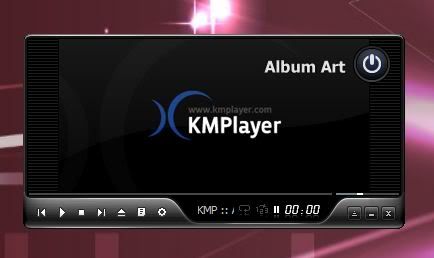
KMplayer - best media player

OK so ive tried pretty much every media player there is and in my opinion KMplayer is the best ive found. Firstly it is one of the most powerful players out there. There are many many options to choose from and dont let this put you off cause once you figure it out its easy and you can:


- save your settings in a reg file
- it plays anything
- use internal or external codecs
- skins
- adjust anything!
- presets
- light on resources
- very customizable
- stream TV, HDtv
- play compress auidio album
the bit i like is that if you click on a track in a folder it will play the next track or videos aswell. Also it can remember position and size on screen and remember position of media i like to have it in mini mode at the bottom right of my desktop and it stays there. It looks mint!


many preferences


Once youve sorted the preferences just save the setting to reg file.


and best of its free, you can download it at cnet
Code: [Select]
http://download.cnet.com/The-KMPlayer/3000-13632_4-10659939.html